

Many organizations adopt Zoho WorkDrive to centralize documents, standardize access and improve collaboration across teams.
Over time, content volume increases, but usability declines. Files become difficult to locate, multiple versions exist and teams rely on external tools or local storage to manage critical documents. The system holds information, yet clarity and control remain limited.
This pattern emerges when implementation focuses on uploading files instead of defining how content should behave. Without structural design, content grows without direction, reducing its usability across business functions.
Table of Contents
Work Drive implementation insights
Content systems tend to degrade when a clear structure is not defined during the implementation stage. A folder hierarchy that isn’t aligned with actual workflows often results in duplication, while the absence of clear ownership leads to uncontrolled file creation. Misaligned access permissions further increase redundancy and inconsistency. In contrast, a well-structured implementation significantly improves retrieval, control and long-term usability.
If your current setup reflects these challenges, you can review your system structure with an expert through a consultation: https://calendly.com/anuj-himcos/30min
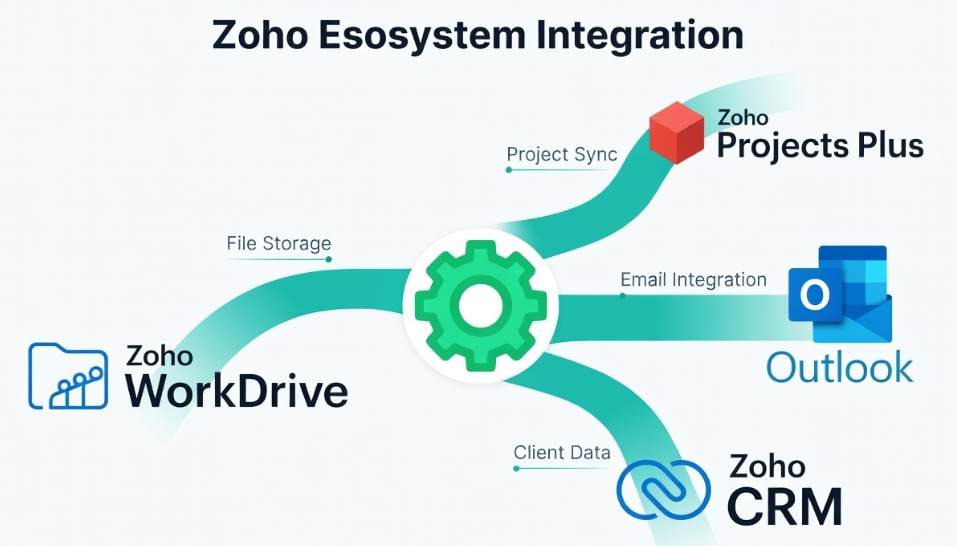
What does structured content management mean in Zoho WorkDrive?
Structured content management refers to aligning documents with business processes rather than treating them as standalone files. In Zoho WorkDrive, structure includes classification of content types, ownership definition, permission logic and lifecycle stages such as creation, review, approval and archive. Each file follows a predictable path instead of remaining static.
When these elements align, content becomes easier to locate, maintain, and scale. Without this alignment, the system behaves as storage, where data accumulates but does not support operations effectively.
Why does Work Drive become disorganized after implementation?
WorkDrive becomes disorganized when implementation begins with folder creation instead of content logic. Teams often replicate existing storage habits. Files are uploaded without defining naming standards, ownership, or movement between departments. As more users interact with the system, duplication increases and structure weakens.
Over time, reliance shifts from system-based retrieval to individual knowledge, making the platform less effective as a central content source. If content exists but requires manual searching or confirmation, structural alignment is missing.
What causes content duplication in WorkDrive?
Content duplication is a result of uncontrolled creation and lack of system logic. When ownership is undefined, multiple users create similar documents independently. Without naming standards, identifying the correct version becomes difficult. Broad access permissions allow files to be copied instead of referenced.
As duplication increases, trust in the system declines. Teams begin maintaining parallel versions outside the platform, further fragmenting content. Duplication reflects gaps in ownership, access control and content flow design.
If you’re facing duplication issues, you can also share your current setup for review via the contact form:
https://himcos.com/contacts-simple/
How should Zoho Work Drive be implemented for structured content management?
Implementation must begin with defining how content is created, used, and transferred across the organization. Content categories are identified, and their movement between teams is mapped. Ownership is assigned at each stage and access is aligned with roles. Only after these elements are defined does folder structure get created.
This approach connects the system to business workflows instead of treating it as storage. Structured implementation reduces dependency on manual processes and improves system adoption across teams.
Implementation steps for structured Work Drive setup
Content mapping
All content types across departments are identified and grouped based on usage. Document flow between teams is mapped to understand how files move through the organization. This step highlights duplication points and inefficiencies before system design begins.
Ownership definition
Each content category is assigned a responsible owner. This includes responsibility for updates, accuracy and access decisions. Clear ownership reduces overlapping files and improves accountability across departments.
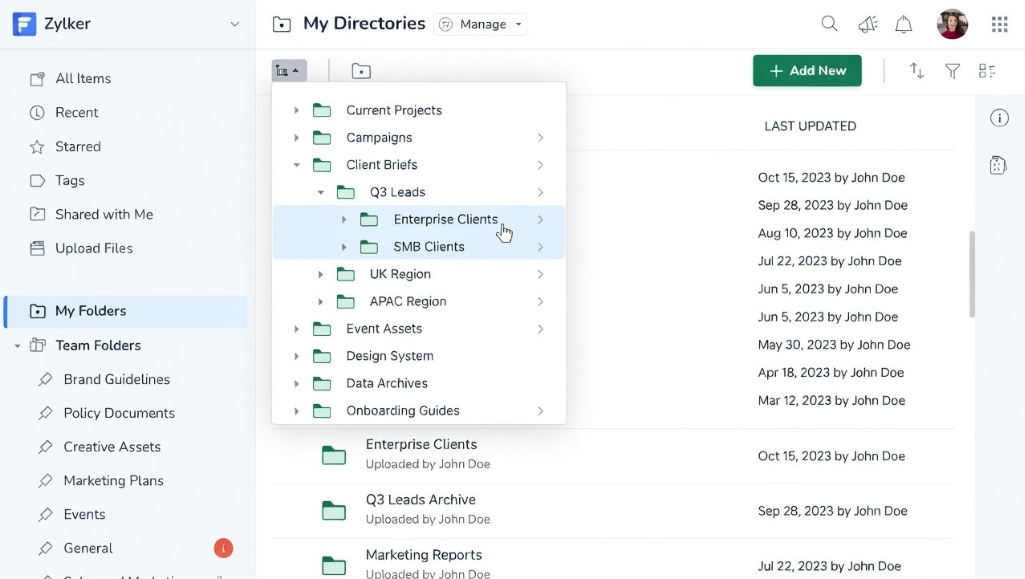
Folder structure design
Folder hierarchy is created based on workflows such as sales cycles, project execution, or operational processes. Naming conventions are standardized to maintain consistency. This improves navigation and reduces dependency on individual knowledge.
Access configuration
Permissions are aligned with roles and responsibilities. Users access only relevant content based on their function. Controlled access reduces duplication and improves data integrity across the system.
Governance setup
Guidelines define how files are created, named, stored and updated. Periodic audits maintain consistency as content volume grows. Governance prevents structural drift and maintains long-term usability.
Structured content management framework
A structured WorkDrive implementation operates on interconnected layers:
- Content classification defines what type of data exists
- Ownership model defines responsibility and control
- Workflow alignment defines how content moves
- Access logic defines who interacts with content
- Governance defines how structure is maintained
These layers work together to create a predictable system where content follows defined rules instead of growing randomly.
Transition from unstructured storage to process-aligned system
A business implemented Zoho WorkDrive as a shared repository. Files were uploaded regularly, but teams faced difficulty locating documents and identifying correct versions.
After restructuring content categories, defining ownership, and aligning folder hierarchy with workflows, the system shifted from storage to operational use. File retrieval improved, duplication reduced and dependency on external tools declined. This transition occurred due to structural alignment rather than feature changes.
Himcos approach to Work Drive implementation
Himcos approaches WorkDrive implementation through system design based on business logic.
Content is aligned with workflows, ownership is defined at each level and access is controlled through role-based structures. Governance models maintain consistency as usage expands.
Engagement models include:
- Scratch implementation for new systems requiring full design
- Fixed restructuring for existing disorganized setups
- Hourly consulting for continuous optimization and system audits
Low adoption in WorkDrive often indicates structural gaps rather than user resistance.
For organizations needing structured redesign or ongoing optimization, you can discuss your use case directly here: https://calendly.com/anuj-himcos/30min
Or submit your requirements for a detailed assessment: https://himcos.com/contacts-simple/
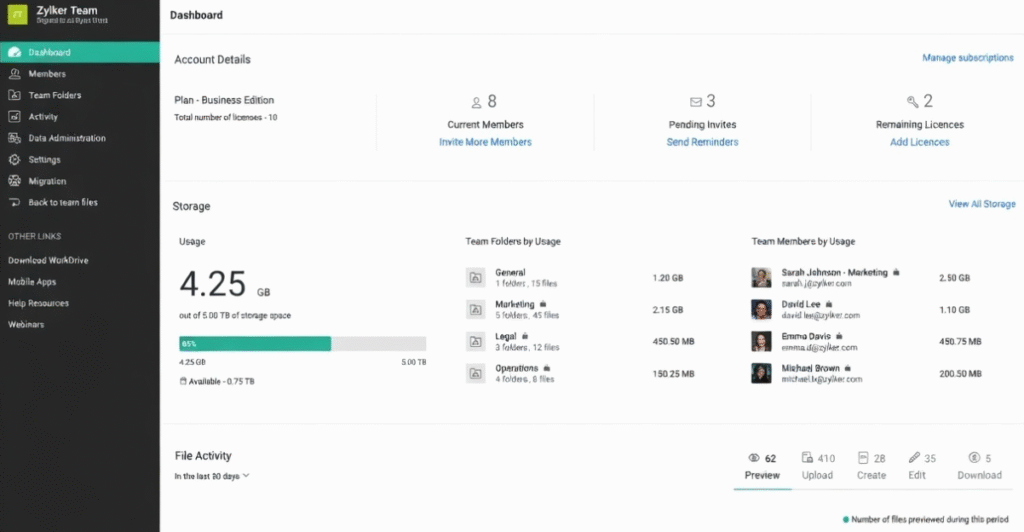
When should Work ‘Drive be reorganized?
Reorganization becomes necessary when system usage increases but efficiency declines.
Indicators include duplicate files, inconsistent naming, difficulty in retrieval and continued use of external storage tools. These patterns suggest that the system lacks alignment with business workflows.
Early restructuring reduces operational friction and improves long-term system reliability.
Key takeaways
- Content management depends on structure rather than storage
- Ownership improves accountability and reduces duplication
- Workflow-based design improves usability over time
- Access control limits unnecessary content creation
- Governance maintains long-term consistency
Book a Free consultation
For organizations using Zoho WorkDrive, implementation quality determines whether the system supports operations or creates complexity. A structured evaluation identifies gaps in content flow, ownership and access logic. This forms the basis for implementation or restructuring.
Booking a consultation provides clarity on system design, governance modelsc and implementation roadmap. Real system snapshots and structural assessments can be reviewed to understand current gaps and required improvements.