
Many businesses implement CRM platforms expecting better pipeline visibility, organized sales processes, and accurate revenue forecasting. Tools like Zoho CRM are designed to centralize customer information, track opportunities, and automate sales workflows. However, a common issue appears several months after implementation.
Sales teams gradually stop using the CRM consistently. Opportunities remain outdated, required fields stay incomplete, and reports no longer reflect the real status of deals. Eventually, the CRM becomes something that teams update only before internal review meetings.
This problem rarely happens because the CRM lacks features. Instead, it usually happens because the system was implemented without aligning with how sales teams actually work. Understanding the reasons behind this decline helps organizations build CRM systems that sales teams continue using long after deployment.
Table of Contents
Quick insights
Sales teams stop using Zoho CRM after implementation mainly because the system does not match real sales workflows.
The most common causes include:
- CRM pipelines do not reflect how deals actually progress
- Data entry requirements slow down sales work
- CRM lacks integration with finance, marketing, and support systems
- Reports focus on activity instead of meaningful deal progress
- Sales teams lose trust in CRM data accuracy
When CRM systems are aligned with real sales behavior and integrated with operational tools, adoption improves significantly.
Why do sales teams stop using Zoho CRM?
Sales teams stop using CRM systems when the platform stops helping them close deals. Selling rarely follows a rigid process. Conversations evolve, stakeholders change, budgets shift, and decisions take time. If the CRM pipeline does not reflect this reality, it becomes difficult for sales representatives to update opportunities accurately.
For example, a deal might still be in early discovery, but the CRM requires the representative to move it to a later stage. These forced updates gradually make the system feel disconnected from real sales work.
Over time, the CRM becomes more about reporting than supporting selling activities. When sales teams feel the system adds work without helping them progress deals, engagement declines naturally.
What makes sales teams abandon CRM systems?
Several common issues cause CRM adoption to decline after implementation.
Pipeline structure does not match sales
Many CRM implementations use simplified pipeline stages such as qualification, proposal, negotiation, and closing. In reality, deals progress through many additional steps. Stakeholder approvals, technical discussions, budget confirmations, and internal reviews often influence deal movement.
When pipeline stages inside Zoho CRM do not reflect these decision points, sales teams struggle to keep records accurate. Eventually, deals remain stuck in incorrect stages and pipeline visibility becomes unreliable.
Data entry becomes a daily friction
Another major challenge is excessive data entry. Many CRM systems request detailed information early in the sales process. However, during initial conversations, sales representatives may not yet know key details such as budget, timeline, or decision makers.
When the CRM requires too much information too soon, it interrupts the natural flow of sales conversations. Instead of focusing on customers, representatives spend time filling forms. Over time, users delay updates or skip them entirely.
CRM systems lack customer context
Sales teams need more than pipeline information to manage deals effectively. Important customer insights often exist in other systems, including financial records, support tickets, and marketing campaign activity.
If Zoho CRM operates separately from these platforms, sales representatives cannot see the full customer picture. For example, a deal may appear active in the CRM while the customer has unresolved support issues. Without this context, sales conversations become less effective and trust in CRM data decreases.
CRM reports focus on activity instead of outcomes
Many CRM dashboards emphasize activity metrics such as:
- calls logged
- emails sent
- tasks completed
While these metrics show effort, they do not always reflect real deal progress. Sales teams care more about indicators such as pipeline movement, stage conversions, and forecast accuracy. When dashboards fail to show meaningful insights, teams stop using them for decision-making.
Align CRM with real sales behavior
The most effective way to improve CRM adoption is to align the system with how sales teams actually work. This means designing the CRM around real sales processes rather than forcing users to adapt to rigid workflows.
Three principles are critical:
- pipelines should reflect real decision milestones
- data entry should remain simple in early stages
- CRM should connect with other operational systems
When the CRM mirrors real sales activity, updates happen naturally because they support everyday work.
Implementation steps to improve CRM adoption
Organizations can improve CRM usage by following a structured approach.
Step 1: Map the actual sales process
Before configuring CRM pipelines, companies should analyze how deals really move through the sales cycle. This includes identifying discovery discussions, internal approvals, technical evaluations, and budget negotiations. Each pipeline stage should represent a meaningful milestone.
Step 2: Simplify early data entry
CRM systems should request minimal information during early deal stages.
Additional fields can appear later as deals progress. This reduces friction while still capturing important information over time.
Step 3: Integrate CRM with business systems
CRM becomes significantly more valuable when connected to other operational platforms.
Within the Zoho One ecosystem, businesses can integrate Zoho CRM with:
- finance systems
- marketing automation platforms
- customer support tools
These integrations create a unified customer data environment.
Step 4: Redesign CRM dashboards
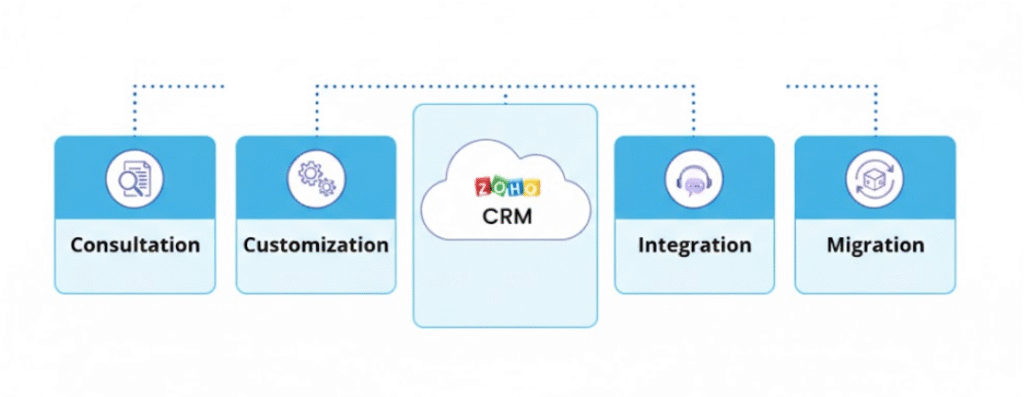
Dashboards should highlight metrics that reflect real deal progress, including:
- stage conversion rates
- pipeline growth
- deal velocity
- forecast accuracy
Meaningful dashboards help sales teams make better decisions.
Behavior-driven CRM architecture
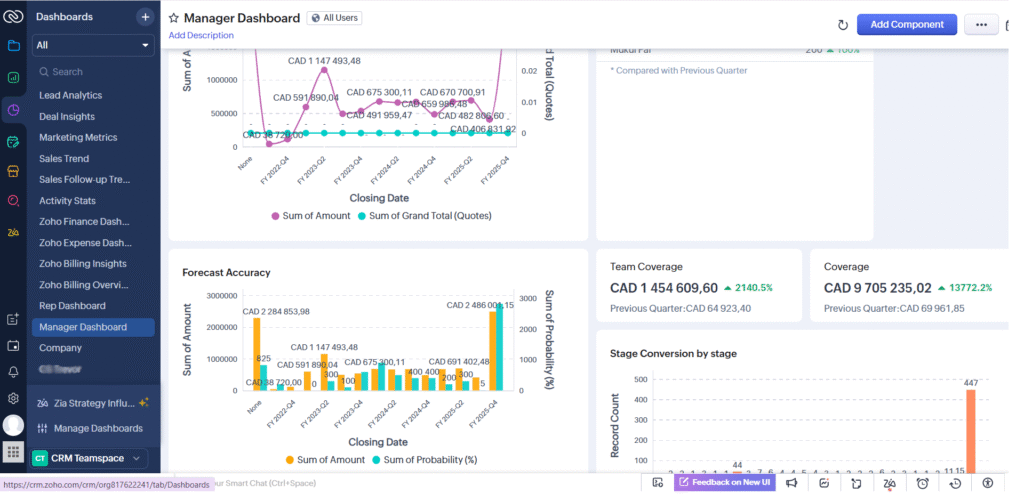
A structured CRM framework helps ensure long-term adoption. Consulting partners like Himcos implement CRM systems using a behavior-driven architecture built on three layers.
1. Sales workflow layer
Pipeline stages are built around real decision milestones rather than generic labels. This helps sales representatives update opportunities accurately.
2. Data context layer
CRM connects with marketing, finance, and support platforms so customer information stays complete and current.
3. Insight layer
Dashboards track metrics that reflect meaningful performance indicators such as deal velocity and pipeline conversion rates.
Together, these layers create a CRM environment that mirrors real business activity.
How Himcos helps businesses improve CRM adoption
Many CRM projects fail not because of the software but because of how the system is implemented. Himcos helps organizations design CRM environments that match real operational workflows. Instead of starting with software configuration, Himcos first studies how sales teams manage conversations, qualify opportunities, and move deals forward. Based on this understanding, the CRM is structured to reflect real decision milestones.
Within the Zoho One ecosystem, Himcos also integrates CRM with marketing automation, finance, and support platforms. This ensures that sales teams have complete customer context inside Zoho CRM. As a result, the CRM becomes the central system for managing revenue instead of just a reporting tool.
Case study restoring CRM adoption
A growing company implemented Zoho CRM to manage its sales pipeline. Initially, adoption looked strong. However, within six months, the company noticed declining engagement. Opportunities were rarely updated, many fields remained empty, and pipeline forecasts were unreliable.
After reviewing the implementation, the company discovered several issues:
- pipeline stages did not reflect real sales discussions
- data entry requirements were too heavy early in the process
- CRM lacked integration with other business systems
The organization redesigned the CRM using a behavior-driven framework. Pipeline stages were aligned with decision milestones, early data entry requirements were simplified, and integrations were added with marketing and finance tools. Within a few months, CRM engagement improved and pipeline visibility became much more reliable.
Key takeaways
- CRM adoption depends more on implementation design than software features
- Pipelines should reflect real sales decision points
- Early data entry requirements should remain simple
- CRM must connect with other business systems
- Dashboards should focus on meaningful deal progress
When CRM systems align with real sales workflows, teams continue using them naturally. Over time, this alignment transforms the CRM into a central platform for managing revenue growth.